



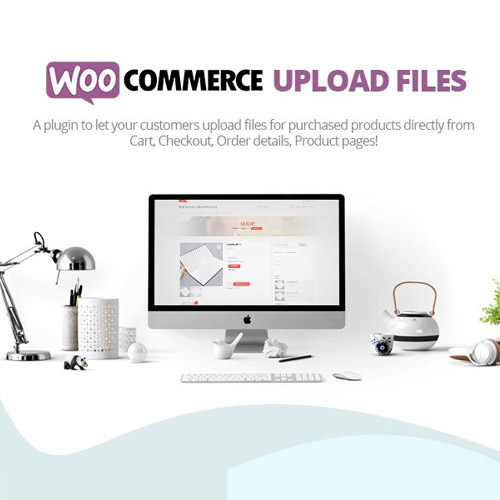
WooCommerce Upload Files
Let Customers Upload Files Directly on Product, Cart, or Checkout Pages
WooCommerce Upload Files is a flexible plugin that allows your customers to attach files to their orders with ease. Whether you’re running a print shop, a custom t-shirt business, or offering any personalized product or service, this plugin is essential for collecting customer content quickly and securely.
With full control over file types, size limits, and upload locations, you can streamline order processing while offering a better user experience.
Key Features:
-
Upload on Product, Cart, or Checkout Pages – Choose where customers can upload their files
-
File Type & Size Restrictions – Set allowed file extensions and max file size
-
Conditional Uploads – Show upload fields based on specific products, categories, or conditions
-
Multiple File Uploads – Allow one or more files per product or order
-
Progress Bar & Preview – Show upload progress and preview images before submission
-
Drag & Drop Interface – Easy and intuitive for users to attach files
-
Secure Upload Handling – Files are stored safely with access control
-
Admin File Management – View, download, or delete uploaded files from the order page
-
Custom Labels & Messages – Fully customizable field titles, descriptions, and error messages
-
Multisite & WPML Compatible – Works smoothly in multilingual and multisite environments
Why Choose WooCommerce Upload Files?
-
Perfect for stores selling custom or made-to-order products
-
Saves time by collecting all needed info upfront
-
Enhances customer satisfaction with a smooth upload experience
-
Flexible setup for virtually any business type needing file submissions
Easily accept customer files during purchase and simplify your workflow with WooCommerce Upload Files.
Read Before Purchase
Important Information – ProspassoGPL
Before You Purchase
- Please read our Terms and Conditions and Refund Policy before making a purchase.
- Have a question? First, check our FAQ for answers.
- Still need help? Contact us, and we’ll respond as soon as possible.
Product Access & Safety
- After purchase, you can instantly download your product via a direct link in the Downloads section.
- All products are 100% clean—no malicious code, viruses, or ads.
- We source files directly from the original developers and never from third-party sites.
Updates & Renewals
- We provide regular updates for one year from the date of purchase.
- After a year, you’ll need to renew your purchase to continue receiving updates.
- Alternatively, opt for lifetime updates for uninterrupted access.
- We update products as soon as new versions become available. If you notice an outdated version, you can request an update via the ‘Request for Update’ tab on each product page
- Stay informed! We send update notifications via email, so be sure to register with an active email address.
Support & Assistance
- Our support team is available 24/7 to assist with installation and configuration.
- Please note that we do not develop these products, so our support does not cover custom modifications or bug fixes.
- For further details, check our FAQ and About Us pages.
Thank you for choosing ProspassoGPL!
Be the first to review “Woocommerce Upload files 86.7”
Related products

Woocommerce Plugins



Woocommerce Plugins

Admin Tools

WooCommerce
WooCommerce


WooCommerce

WooCommerce


Reviews
There are no reviews yet.